
Split APK Installer Download Latest Version for Android (Complete Guide 2026)
1 hour ago
4.89 MB
V.4.5
10K+

Description
Installing Android apps is usually simple. You download an APK file, tap on it, and install the app. However, many modern Android apps now come in split APK formats that cannot be installed directly. This is where Split APK Installer becomes useful.
If you have ever downloaded an APK, XAPK, or APK Bundle file and struggled to install it, Split APK Installer can solve the problem. It allows Android users to install multiple APK files together without any technical knowledge.
In this guide, you will learn everything about Split APK Installer Download, its features, how it works, how to install split APK files, its pros and cons, and whether it is safe to use.
What Is Split APK Installer ?
Split APK Installer, often known as SAI (Split APK Installer), is a free Android application that helps users install apps distributed in split APK formats.
Unlike traditional APK files, split APKs contain multiple files that work together. These files may include language packs, screen-density configurations, and processor-specific components.
Android devices cannot always install these files directly. Split APK Installer combines all required APK files and installs them correctly.
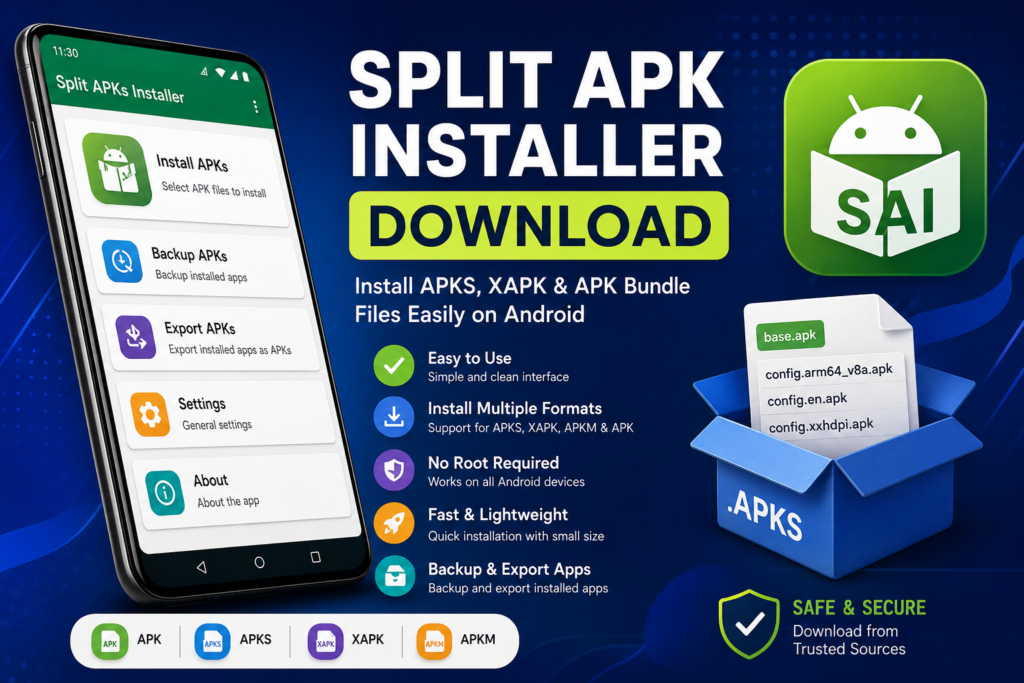
The tool is lightweight, easy to use, and does not require root access.
Supported Formats
Split APK Installer supports:
- APK
- APKS
- XAPK
- APKM
- Split APK files
This makes it one of the most popular APK bundle installer apps available for Android devices.
Why Do You Need a Split APK Installer download?
Many developers now use Android App Bundles to reduce app size and improve performance.
Instead of downloading one large APK, users receive only the files needed for their specific device.
While this method saves storage space, it creates a challenge when downloading apps from third-party sources because Android may not install these files automatically.
A Split APK Installer helps by:
- Installing split APK packages correctly
- Managing multiple APK files together
- Supporting APK bundle formats
- Simplifying the installation process
- Reducing installation errors
Without a split APK installer, many APK bundle files cannot be installed successfully.
Key Features of Split APK Installer
Simple User Interface
The application is designed for beginners. Even first-time users can install split APK files without difficulty.
Support for Multiple Formats
It supports APK, APKS, APKM, and XAPK files, making it a versatile installer for Android devices.
No Root Required
Users do not need to root their smartphones to use the application.
Lightweight Application
The installer consumes very little storage space and works smoothly on most Android devices.
Backup Installed Apps
Users can export installed applications into APKS format for backup purposes.
Fast Installation
The installation process takes only a few minutes, depending on the app size.
Free to Use
Most versions of Split APK Installer are available free of charge.
How to Download Split APK Installer
Downloading Split APK Installer is simple.
Step 1
Find a trusted source that provides the latest version of the installer.
Step 2
Download the APK file to your Android device.
Step 3
Wait for the download to complete.
Step 4
Open your Downloads folder and locate the APK file.
NOTE: Always make sure you download files from reputable websites to avoid malware or modified applications.
How to Install Split APK Files Using SAI
After downloading Split APK Installer, follow these steps:
Step 1: Install the Split APK Installer App
Install the APK file and grant necessary permissions.
Step 2: Open the Application
Launch the installer from your app drawer.
Step 3: Select APK Files
Tap the Install APKs option and choose the split APK files you want to install.
Step 4: Confirm Installation
The app will automatically combine the required files and prepare them for installation.
Step 5: Complete Installation
Follow the on-screen instructions and wait for the process to finish.
The app will then appear in your device’s application list.
Pros and Cons of Split APK Installer
Pros
- Easy to use
- Supports multiple APK formats
- Lightweight and fast
- No root access required
- Free download
- Helps install APK bundles easily
- Supports app backup features
Cons
- Some devices may face compatibility issues
- Installation permissions are required
- Downloading APK files from unsafe sources can be risky
- Certain apps may not support manual installation
Is Split APK Installer Safe?
Yes, Split APK Installer itself is generally considered safe when downloaded from a trusted source.
However, the safety of your installation depends largely on the APK files you choose to install.
To stay safe:
- Download APK files from reputable websites.
- Avoid modified or cracked apps.
- Scan downloaded files using antivirus software.
- Review app permissions before installation.
- Keep your Android device updated.
Following these precautions can significantly reduce security risks.
Best Alternatives to Split APK Installer
If you are looking for similar tools, consider the following alternatives:
XAPK Installer
A popular option for installing XAPK files and large Android games.
APKMirror Installer
Designed specifically for APK bundles downloaded from APKMirror.
App Bundle Installer
Supports modern Android App Bundle formats.
Package Installer
Some Android devices include built-in package installers capable of handling certain APK formats.
FAQs
What is Split APK Installer?
Split APK Installer is an Android application that helps users install split APK files, APKS files, APK bundles, and XAPK packages.
Is Split APK Installer free?
Yes, most versions are available for free.
Can I install XAPK files with Split APK Installer?
Yes, many versions support XAPK installation.
Does Split APK Installer require root access?
No, root access is not required.
What is an APK file?
An APK file is a package that contains multiple APK files bundled together for installation.
Is Split APK Installer safe for Android?
Yes, provided you download it from a trusted source and install safe APK files.
Why can’t Android install split APK files directly?
Split APK files contain multiple components that Android cannot always process as a single installation package.
Which Android versions support Split APK Installer?
Most modern Android versions support the application.
Final Verdict
Split APK Installer is one of the most useful tools for Android users who frequently download apps outside the Google Play Store. It simplifies the installation of split APK files, APK bundles, APKS files, and XAPK packages without requiring advanced technical skills.
Its lightweight design, broad file support, and easy-to-use interface make it an excellent choice for anyone looking to install APK bundles on Android devices. If you regularly encounter split APK files, downloading a reliable Split APK Installer can save you time and frustration.
Download links
How to install Split APK Installer Download Latest Version for Android (Complete Guide 2026) APK?
1. Tap the downloaded Split APK Installer Download Latest Version for Android (Complete Guide 2026) APK file.
2. Touch install.
3. Follow the steps on the screen.